


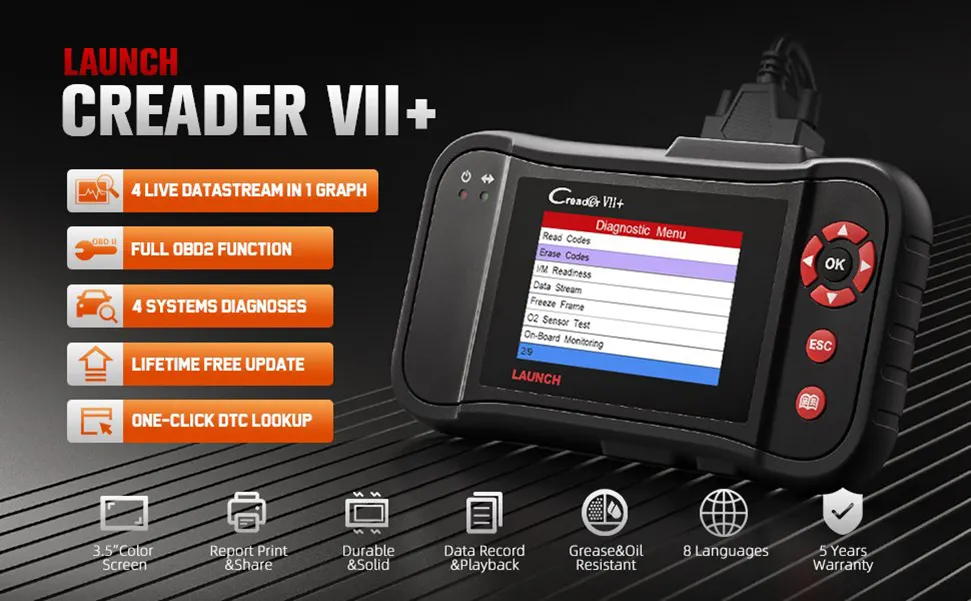
Compared to other 95% OBD2 scanner in the market, Launch Creader VII+ can test Transmission System, while many other Same types of Scanners DOES NOT!
LAUNCH Creader VII+ OBD2 Scanner highlights:
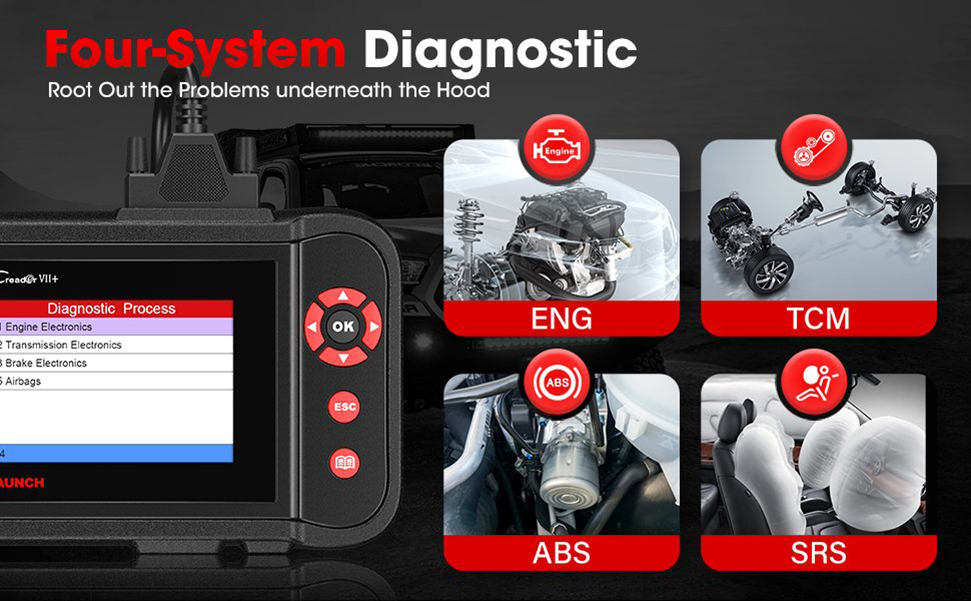
- 4 Systems Diagnoses: LAUNCH scanner VII+ can read/erase generic and manufacturer specific codes, view live data stream and turn off the warning lights in the Engine system, Transmission system, ABS and SRS.
- Retrives Manufacturer Specific Enhanced Data for Domestic, Asian and European vehicles
- Full OBDII Functions: The obd2 scanner features all 10 OBDII test modes, such as I/M Readiness, Live Data Stream (in graphic format), O2 Sensor Test, On-board Monitor Test, etc.
- User-friendly Design: LAUNCH scan tool VII+ has an ergonomic handheld design with 3.5” TFT display, user-friendly button layout, and a wear-resistant housing, for simplicity and durability.
- Fast and Intuitive Operations: LAUNCH VII+ OBDII scanner has a fast and intuitive operation through an easy-to-use interface and responsive operating system.
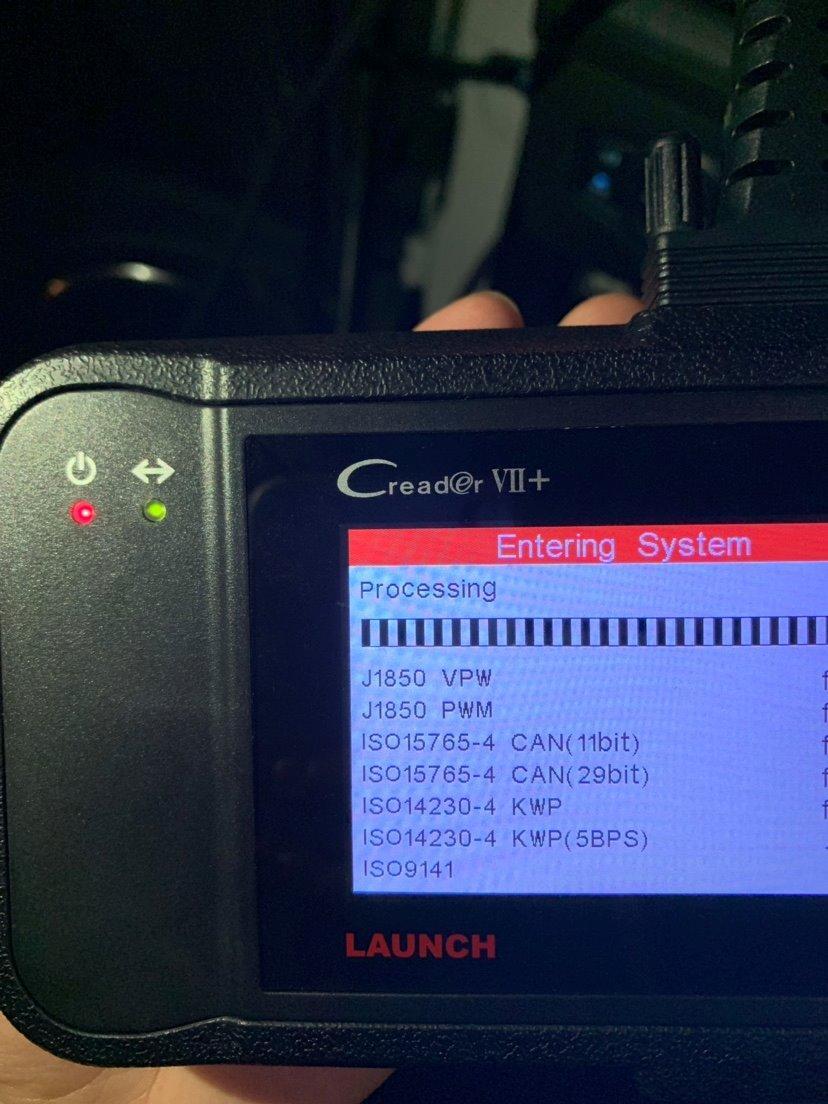
- Wide Compatibilities: The vehicle code reader is compliant with all the OBDII protocols: J1859-41.6, J1850-10.4, ISO9141, KWP2000 (ISO14230), and CAN (Control Area Network ISO 11898).
- Multilingual Built-in DTC Lookup: LAUNCH VII+ is equipped with a built-in DTC library combined with multilingual menu, including English, Spanish, French, German, Italian, Russian, Japanese, and Portuguese.
- Supports data recording and playing back, Graph, record, and replay data in full color.
- Provides lifetime free online update service.
- Send and Prints data via PC
- Support 8 languages: English, Spanish, French, German, Italian, Russian, Japanese, Portuguese
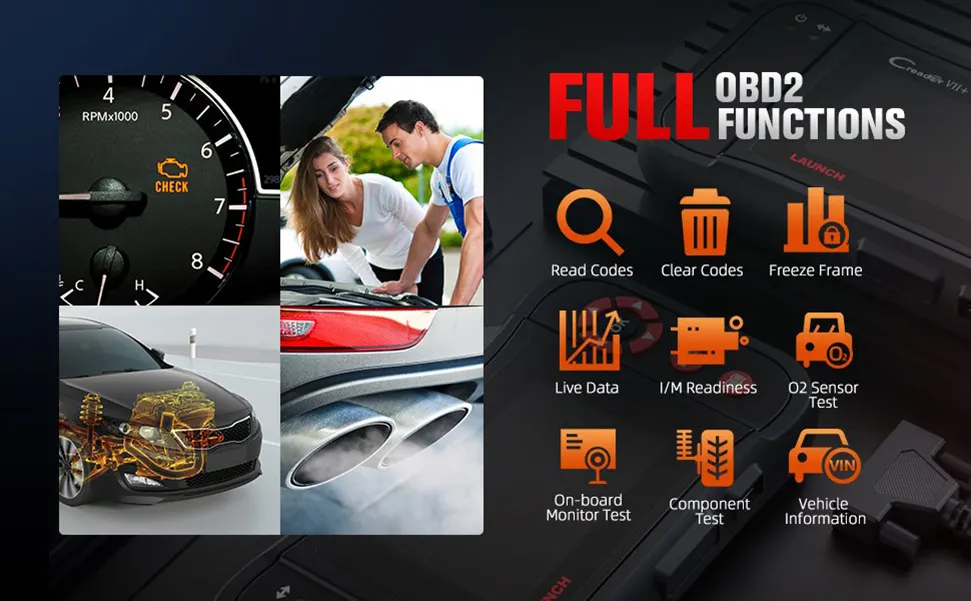
LAUNCH Creader VII+ Full OBD2 Functions - 10 OBDII Test Modes
The LAUNCH code reader Creader VII+ is an enhanced scan tool specially designed for most 1996 and newer OBDII-compliant vehicles. Compared to basic OBD2 scanner/code readers, it provides complete OBDII diagnostics, including:
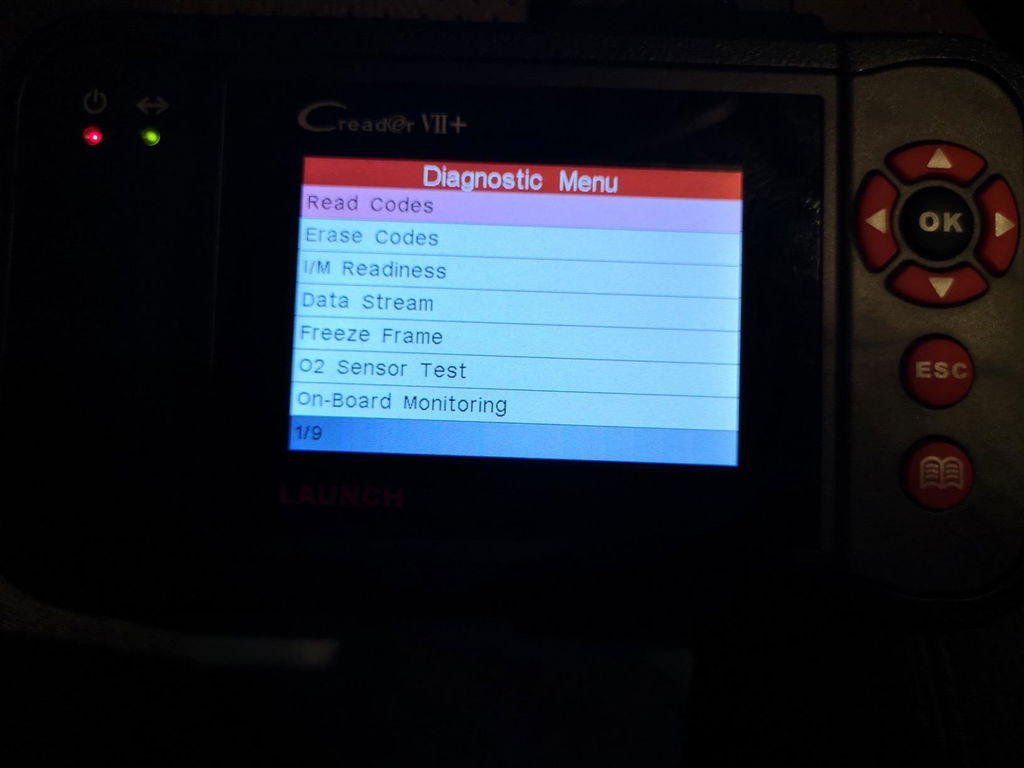
- Read and Clear DTCs: Show the detailed description of the Diagnostic Trouble Code (DTC) and clear/reset the diagnostic information.
- Turn-off Malfunction Indicator Light (MIL).
- Read I/M Readiness Status: Show whether the various emissions-related systems on the vehicle are operating properly and are ready for inspection and maintenance testing.
- Read Live Data Stream: Show the information of continuous data stream from vehicle in live graphic (waveform) display.
- Read Freeze Frame Data: Check the certain vehicle conditions which are recorded by the on-board computer at the time the emission-related fault occurs.
- O2 Sensor Test: Show the last results of O2 sensor test in graphic display for troubleshooting.
- On-Board Monitor Test: Read the results of on-board diagnostic monitoring tests for specific components/systems.
- Read Vehicle Information: Display the information such as VIN (Vehicle identification Number), CID (Calibration ID) and CVN (Calibration verification number), etc.
- EVAP Test for Fuel Tank System (Carbon canister test).
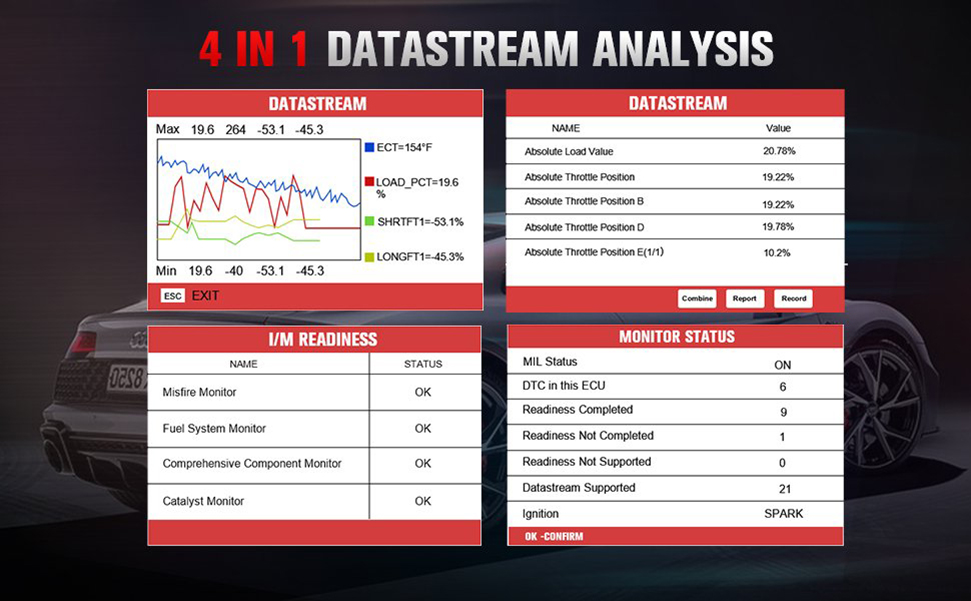
LAUNCH Creader VII+ View Live Data Graphing of Engine/AT/Airbag/ABS System
4 Live Data Stream Analyse in 1 Graph:
This OBDII code reader has big size LCD color screen. it also shows live vehicle sensors data in text, multiple graph format shows 4 live Readiness and allows you to focus on any suspicious or symptom-specific data parameters of Engine & AT & Airbag & ABS System.
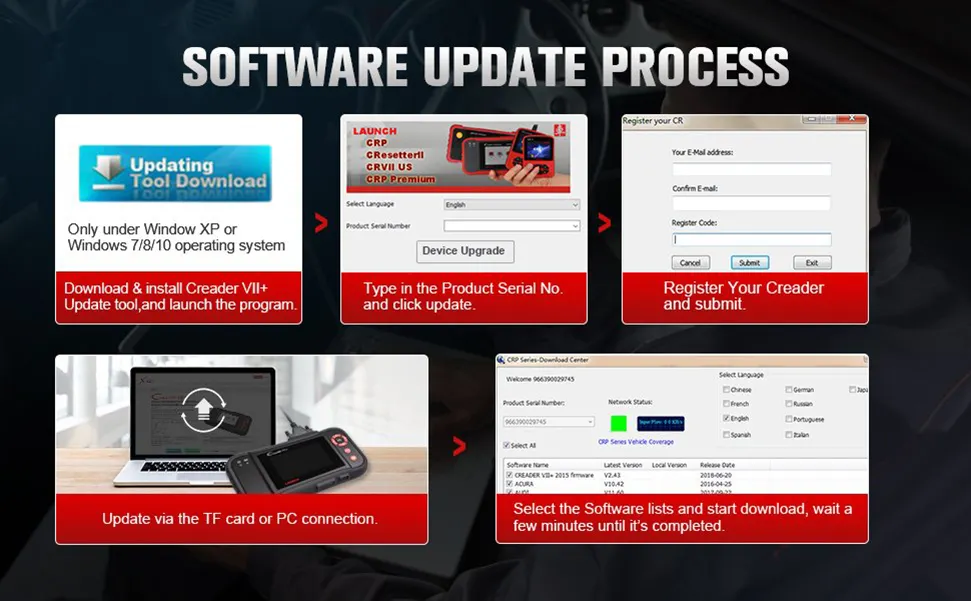
How to Register & Update This Scan Tool LAUNCH Creader VII+?
- Step 1: Go to LAUNCH official website (refer to the "User Guide" in the "Product guides and documents "section of product webpage) and click Updating Tool Download icon.
- Step 2: Download and install the Creader VII+ update tool and launch the program when installed.
- Step 3: You will be prompted to type in the serial # (located on the back of the tool)
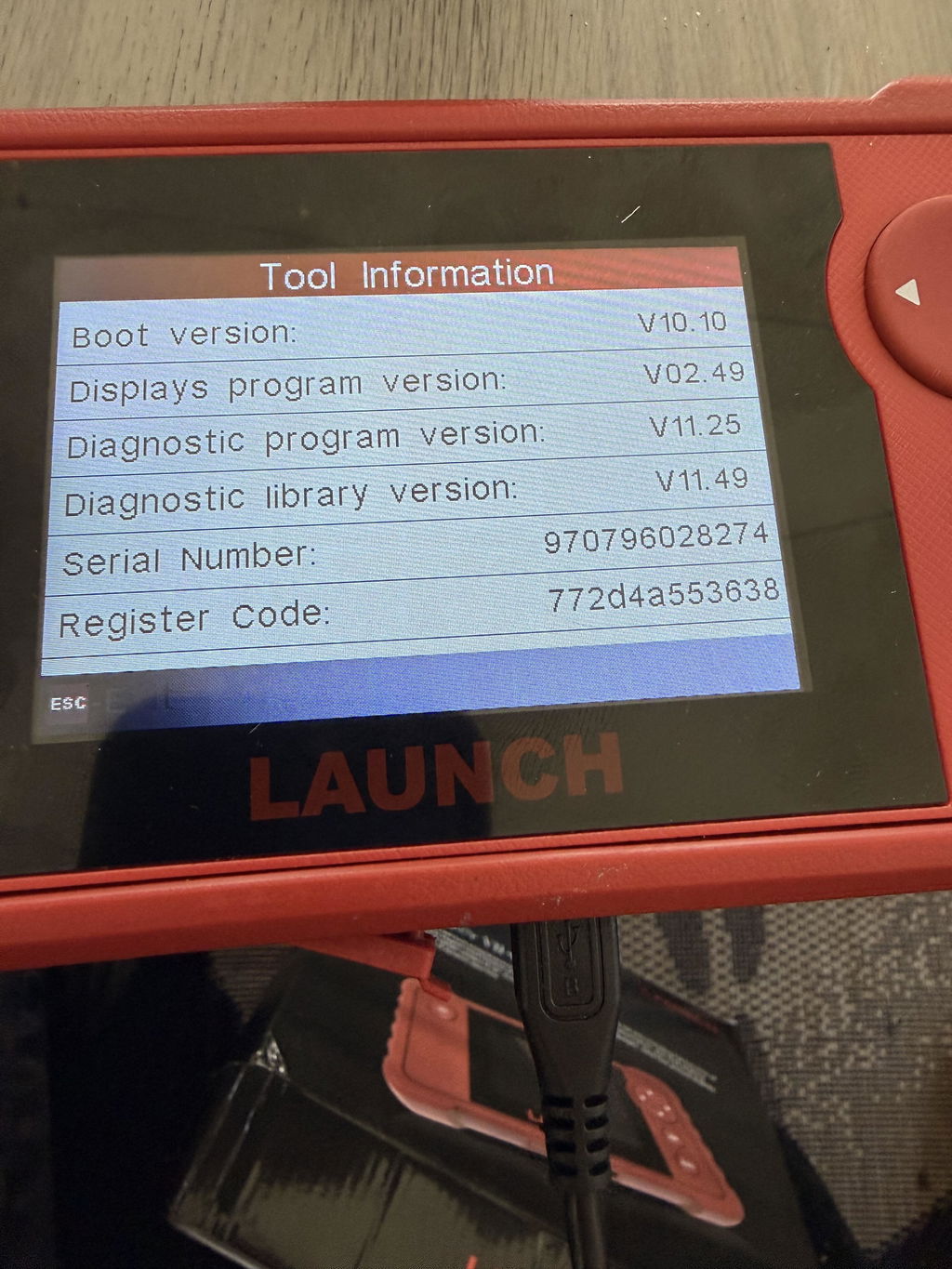
- Step 4: Hit [Device Upgrade] to enter the register page, type your email info (check the "Register Code" on the device menu "Help--Tool Information" ).
- Note: the “User password” is equal to the “Register Code.”
- Step 5: Install the TF card from the tool into the supplied USB TF card adapter and insert into USB port of CPU.
- Step 6: Reopen the CRP update Suite and select the updates you would like to preform or click select all and click Download.
- Step 7: Once all steps are complete, reinsert the TF card into the tool and power the tool via USB in computer or via OBD2 port in vehicle. The tool will prompt you to upgrade, select OK button on tool to proceed.
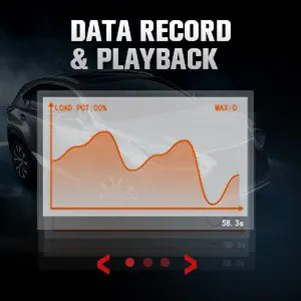
Data Recording & Printing
This diagnostic tool can record DTCs, live data streams, and freeze frames, and the data recorded is useful for analyzing engine health status. The diagnostic results can be printed for identifying problems, reviewing problems, and solving problems.
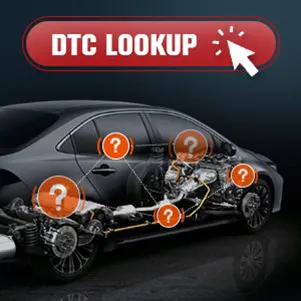
DTC LookUp
When a vehicle experiences a malfunction, the OBD2 scanner can read the faulty codes. With DTC LookUp, enter your DTC to find out the definitions of Generic and Manufacturer specific codes—help you pinpoint the location of the specific system.
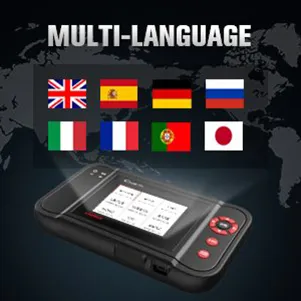
Multi-language Support
LAUNCH Creader VII+ OBD2 scanner supports: English, Spanish, French, German, Italian, Russian, Japanese, and Portuguese. We provide the multi-language options to ensure you can always diagnose your vehicle regardless of language barriers.
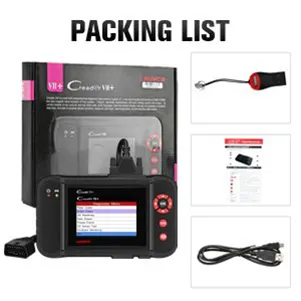
Package List
- LAUNCH Creader VII+ *1
- Main Test Cable *1
- User’s Manual *1
- TF Card *1
- TF Card Reader *1
- USB Cable *1
E
Scan and not perform as suspected did not work for my vehicle as advertised. It is now sitting on my desk as the people I had to buy.A better scan from a different company. I tried to reach out to the person who sold it to me. Communication was bad to that person being that they use WhatsApp to communicate so I bought the top don +2 scandal.I bought the lunch because I was told it was a good scandal but the experience I had with it it’s for me was a waste of money. Maybe it’s the model that I bought I don’t know, but I wasn’t willing to tryand buy another tool from you guys because of the communication failure between the vendor. I did not get any straight answers from him and I prefer to deal with a vendor that’s in the US instead of China.
M
This seemed to work well on both my 2008 nissan and my 2013 mercedes. With both I was able to pull an codes and clear them. I was also able to pull real time stats from both vehicles.the interface is intuitive enough that I was able to move through most features without the need to read the instructions.There is also a information menu in this that gives you common causes to some engine codes.the only reason I don't give it 5 stars is because I can't seem to get the update tool to download. There is a card enclosed with a web location to it, but on that page, clicking on the link to the update tool, takes you to a 404 error.If there was no mention of updates or the card with a link to where it may be, I probably would have given this 5 stars as everything seems to work as expected. My only concerns come from my perception I may be missing out on something in updates.[UPDATE]Support got back to me the day after I had mentioned with a good link to the update tool.what I had received in my order was running a very recent version of what was available.
M
This seemed to work well on both my 2008 nissan and my 2013 mercedes. With both I was able to pull an codes and clear them. I was also able to pull real time stats from both vehicles.the interface is intuitive enough that I was able to move through most features without the need to read the instructions.There is also a information menu in this that gives you common causes to some engine codes.the only reason I don't give it 5 stars is because I can't seem to get the update tool to download. There is a card enclosed with a web location to it, but on that page, clicking on the link to the update tool, takes you to a 404 error.If there was no mention of updates or the card with a link to where it may be, I probably would have given this 5 stars as everything seems to work as expected. My only concerns come from my perception I may be missing out on something in updates.[UPDATE]Support got back to me the day after I had mentioned with a good link to the update tool.what I had received in my order was running a very recent version of what was available.

M
This seemed to work well on both my 2008 nissan and my 2013 mercedes. With both I was able to pull an codes and clear them. I was also able to pull real time stats from both vehicles.the interface is intuitive enough that I was able to move through most features without the need to read the instructions.There is also a information menu in this that gives you common causes to some engine codes.the only reason I don't give it 5 stars is because I can't seem to get the update tool to download. There is a card enclosed with a web location to it, but on that page, clicking on the link to the update tool, takes you to a 404 error.If there was no mention of updates or the card with a link to where it may be, I probably would have given this 5 stars as everything seems to work as expected. My only concerns come from my perception I may be missing out on something in updates.[UPDATE]Support got back to me the day after I had mentioned with a good link to the update tool.what I had received in my order was running a very recent version of what was available.

M
This seemed to work well on both my 2008 nissan and my 2013 mercedes. With both I was able to pull an codes and clear them. I was also able to pull real time stats from both vehicles.the interface is intuitive enough that I was able to move through most features without the need to read the instructions.There is also a information menu in this that gives you common causes to some engine codes.the only reason I don't give it 5 stars is because I can't seem to get the update tool to download. There is a card enclosed with a web location to it, but on that page, clicking on the link to the update tool, takes you to a 404 error.If there was no mention of updates or the card with a link to where it may be, I probably would have given this 5 stars as everything seems to work as expected. My only concerns come from my perception I may be missing out on something in updates.[UPDATE]Support got back to me the day after I had mentioned with a good link to the update tool.what I had received in my order was running a very recent version of what was available.

M
This seemed to work well on both my 2008 nissan and my 2013 mercedes. With both I was able to pull an codes and clear them. I was also able to pull real time stats from both vehicles.the interface is intuitive enough that I was able to move through most features without the need to read the instructions.There is also a information menu in this that gives you common causes to some engine codes.the only reason I don't give it 5 stars is because I can't seem to get the update tool to download. There is a card enclosed with a web location to it, but on that page, clicking on the link to the update tool, takes you to a 404 error.If there was no mention of updates or the card with a link to where it may be, I probably would have given this 5 stars as everything seems to work as expected. My only concerns come from my perception I may be missing out on something in updates.[UPDATE]Support got back to me the day after I had mentioned with a good link to the update tool.what I had received in my order was running a very recent version of what was available.

E
Works well after about 6 years
E
Works well after about 6 years

E
Works well after about 6 years

E
Works well after about 6 years

E
Works well after about 6 years

A
I own two gm vehicles and this unit takes care of the problems I was seeking.Last used on my 99 Tahoe 5.7L to adjust the timing to the CMP retard.Well worth the investment.This unit already paid for itself after a couple of uses instead of taking it to a mechanic shop.Make the updates and registration to get the latest product codes and software.
A
I own two gm vehicles and this unit takes care of the problems I was seeking.Last used on my 99 Tahoe 5.7L to adjust the timing to the CMP retard.Well worth the investment.This unit already paid for itself after a couple of uses instead of taking it to a mechanic shop.Make the updates and registration to get the latest product codes and software.
A
I own two gm vehicles and this unit takes care of the problems I was seeking.Last used on my 99 Tahoe 5.7L to adjust the timing to the CMP retard.Well worth the investment.This unit already paid for itself after a couple of uses instead of taking it to a mechanic shop.Make the updates and registration to get the latest product codes and software.
A
I own two gm vehicles and this unit takes care of the problems I was seeking.Last used on my 99 Tahoe 5.7L to adjust the timing to the CMP retard.Well worth the investment.This unit already paid for itself after a couple of uses instead of taking it to a mechanic shop.Make the updates and registration to get the latest product codes and software.
A
I own two gm vehicles and this unit takes care of the problems I was seeking.Last used on my 99 Tahoe 5.7L to adjust the timing to the CMP retard.Well worth the investment.This unit already paid for itself after a couple of uses instead of taking it to a mechanic shop.Make the updates and registration to get the latest product codes and software.
P
I bought this since I wanted something not too expensive where I can check out the car with no issues and this item is actually pretty good for its price. I haven’t used it to it’s full capacity but for around $140-$150 it isn’t bad. I see technicians use this also just to read code
P
I bought this since I wanted something not too expensive where I can check out the car with no issues and this item is actually pretty good for its price. I haven’t used it to it’s full capacity but for around $140-$150 it isn’t bad. I see technicians use this also just to read code
P
I bought this since I wanted something not too expensive where I can check out the car with no issues and this item is actually pretty good for its price. I haven’t used it to it’s full capacity but for around $140-$150 it isn’t bad. I see technicians use this also just to read code
P
I bought this since I wanted something not too expensive where I can check out the car with no issues and this item is actually pretty good for its price. I haven’t used it to it’s full capacity but for around $140-$150 it isn’t bad. I see technicians use this also just to read code
P
I bought this since I wanted something not too expensive where I can check out the car with no issues and this item is actually pretty good for its price. I haven’t used it to it’s full capacity but for around $140-$150 it isn’t bad. I see technicians use this also just to read code
L
I’ve had some troubles with a couple of our vehicles. One was abs related and this appeared to be the better option for the price. I updated it with no problems once I received it and went straight to work. Diagnosed two vehicles with more depth than I had hoped for. The only complaint I have is the lack of directions but a quick YouTube trip cleared it up quick.
L
I’ve had some troubles with a couple of our vehicles. One was abs related and this appeared to be the better option for the price. I updated it with no problems once I received it and went straight to work. Diagnosed two vehicles with more depth than I had hoped for. The only complaint I have is the lack of directions but a quick YouTube trip cleared it up quick.
L
I’ve had some troubles with a couple of our vehicles. One was abs related and this appeared to be the better option for the price. I updated it with no problems once I received it and went straight to work. Diagnosed two vehicles with more depth than I had hoped for. The only complaint I have is the lack of directions but a quick YouTube trip cleared it up quick.
✅ Fast order processing
You will receive the orders within 24 hours of payment confirmation (excluding weekends and public holidays). During peak seasons or holidays, processing times may be slightly extended. In the event of delays, we will take all necessary steps to minimize them.
To place an order, choose your region and click the link below:
-United States – https://us.launchx431pro.com/
-United Kingdom – https://uk.launchx431pro.com/
-European Union – https://www.launchx431pro.com/
✅ Local warehouses shipment
All orders are shipped from our warehouses in the USA, the United Kingdom, and Germany using premium international carriers to ensure your tools arrive safely and on time.
| Region | Shipping Location | Estimated Delivery Time |
| United States | PERTH AMBOY, NJ | 3–5 business days |
| United Kingdom | Dunstable | 3–5 business days |
| European | Ginsheim-Gustavsburg, Frankfurt | 3–7 business days |
| Other Countries | HongKong | 7–15 business days |
✅ Safe and reliable delivery
You can count on fast, dependable delivery. We work with trusted international carriers like DHL, UPS, USPS, FedEx, and DPD to get your order to you safely.
NOTE: Delivery to some remote or rural areas is not available. If you're unsure whether we ship to your location, feel free to contact our support team before placing your order.
✅ Free Shipping on Local Orders
Local orders (US, UK, EU) ship for free and with no tax.
For orders shipped to Canada or other non-local countries (excluding the US, UK, and EU), import taxes or customs duties may apply upon delivery.
✅ Customs & duties guidance
For customers outside Europe, customs fees are determined by your local government. As these charges vary by country and are beyond our control, we recommend contacting your local customs office before placing your order to understand any applicable fees, duties, or taxes.
✅ More shipment inquiries
For any shipping-related questions, our customer service team is here to help.
Email: Sales@Launchx431pro.com
WhatsApp: +86-180-2870-0839
Business hours: Monday–Friday, 9:00 AM – 6:00 PM (GMT+8)
Certificate Files
Official LAUNCH Authorized Dealer
Genuine LAUNCH diagnostic tools, reliable support and a more confident purchase experience.
We provide authentic LAUNCH products through authorized sales channels, with supported software updates, warranty service and professional technical assistance.
Why Buy from an Authorized LAUNCH Dealer?
Buying from an authorized dealer helps ensure your LAUNCH diagnostic tool is genuine, properly supported and eligible for official services.
100% Genuine Products
Authentic LAUNCH diagnostic tools sourced through authorized distribution channels.
Official Software Support
Access supported diagnostic software, vehicle coverage and available software updates.
Warranty Protection
Eligible products include warranty support according to the terms listed on each product page.
Professional Support
Get help with product selection, compatibility, setup, software updates and technical questions.
Official LAUNCH Authorization

Our authorization confirms that we are approved to distribute genuine LAUNCH diagnostic products through authorized sales channels.
Why Genuine LAUNCH Matters
Professional diagnostic tools depend on more than hardware. Genuine products provide access to supported software, valid device activation and reliable after-sales service.
Reliable Activation
Valid product identification and supported device activation.
Software & Vehicle Coverage
Access supported diagnostic software, vehicle data and available updates.
After-Sales Support
Receive assistance for eligible product, software and warranty needs.
Unauthorized or cloned devices may experience activation, update, compatibility or warranty limitations.
Support Before & After Your Purchase
Our team can assist throughout the entire purchase and ownership process.
Before Purchase
-
Vehicle compatibility
-
Diagnostic function confirmation
-
Product comparison
-
Accessory compatibility
After Purchase
-
Product activation
-
Software updates
-
Technical support
-
Warranty assistance
Buy LAUNCH with Confidence
Choose genuine LAUNCH diagnostic tools backed by reliable software support and professional service.
Genuine Products
Authentic LAUNCH tools and accessories.
Software Support
Supported software and vehicle coverage.
Professional Assistance
Help with compatibility, setup and product use.
Reliable After-Sales Service
Support when you need it after purchase.
Frequently Asked Questions
Are the LAUNCH products sold on this website genuine?
Yes. We provide genuine LAUNCH diagnostic products through authorized sales channels.
Do LAUNCH diagnostic tools include software updates?
Most eligible products include a free software update period. The exact update period varies by model.
Can you help confirm vehicle compatibility?
Yes. Provide your vehicle make, model, year and required diagnostic function, and our team can help check compatibility.
Do all LAUNCH products include the same warranty?
No. Warranty coverage may vary by product. Please refer to the warranty information listed on the corresponding product page.
Can you help with product activation?
Yes. Our support team can assist with general activation, registration and setup questions for eligible products.

Launch Upgrade Card (All Products)
Launch Software Update Card
Renew Your LAUNCH Software Update Service
Keep your compatible LAUNCH diagnostic tool up to date with the latest software, vehicle coverage, and available features.
Select your device model from the options above to purchase the corresponding software update service.
Important Notes
-
Digital Service — No Physical Shipping Required
This is a software update service only. No physical product will be shipped. -
Please Provide Your Serial Number After Purchase
After completing your order, email your device Serial Number (S/N) to:
sales@launchx431pro.com
You can usually find the S/N on the back of your device or in the device settings.
-
Processing Time
Software update activation is usually completed within 2 business days after we receive and verify your device information. -
Software Update Only
This service renews the software update period only and does not include hardware warranty coverage. -
Compatibility Confirmation Recommended
Please select the correct device model before purchase. If you are unsure which update option is compatible with your device, contact us with your model and serial number before ordering. -
Digital Product Policy
Due to the digital nature of this service, orders are non-refundable once the update service has been activated or delivered.
How It Works
Step 1 — Choose Your Device
Select the correct LAUNCH device model from the available options.
Step 2 — Complete Your Order
Place your order and complete payment online.
Step 3 — Send Us Your Serial Number
Email your device S/N to sales@launchx431pro.com together with your order number.
Step 4 — We Activate the Update Service
Our team will verify your information and activate the corresponding software update service.
Step 5 — Update Your Device
Once activated, connect your device to the internet and open the Software Update section to download the latest available software.
Why Renew Your Software?
Stay Up to Date
Access the latest available software and vehicle coverage for your device.
Expand Vehicle Coverage
Keep compatibility with newer supported vehicle models and systems.
Maintain Diagnostic Capability
Continue using updated diagnostic functions, service functions, and available software features.
No Shipping Required
The entire process is completed online.
Need Help Choosing the Right Update Option?
Not sure which update service fits your device?
Send us your:
Device Model
Serial Number (S/N)
Order Number, if already purchased
Email: sales@launchx431pro.com
We’ll help confirm the correct update option before activation.
Are these products 100% genuine Launch tools?
Yes, we are an official authorized dealer of Launch. All diagnostic tools, scanners, and software updates sold are 100% authentic, brand-new, and come with official factory warranties.
How does the free software update work?
Eligible scanners include 2 years of free software updates. Once you register and activate your device, you can easily download the latest vehicle software, bug fixes, and coverage updates directly over Wi-Fi with one click.
When will my order ship?
Orders are typically processed within 24 hours. Standard delivery usually takes 3–7 business days, depending on your location and the item ordered. Tracking information will be provided once your order has shipped.
What is the return and warranty policy?
Every purchase is backed by our 30-day return policy and warranty coverage based on the individual product. If you receive a defective unit or need help with vehicle compatibility, our technical support team is available to assist you.